Table of Contents
Issues can be received through the Manage Issues tab or through the Quick Receive option located in the bibliographic record display.
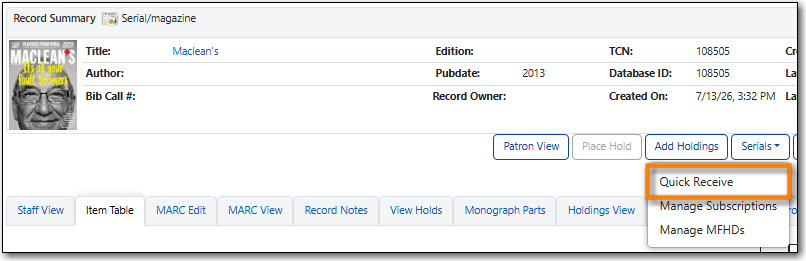
From a serials record in the staff catalogue, go to Serials → Quick Receive.
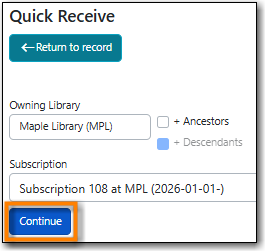
Confirm the desired library and subscription is selected and click Continue.
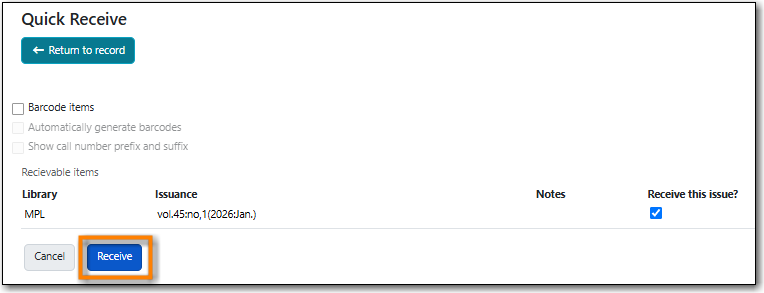
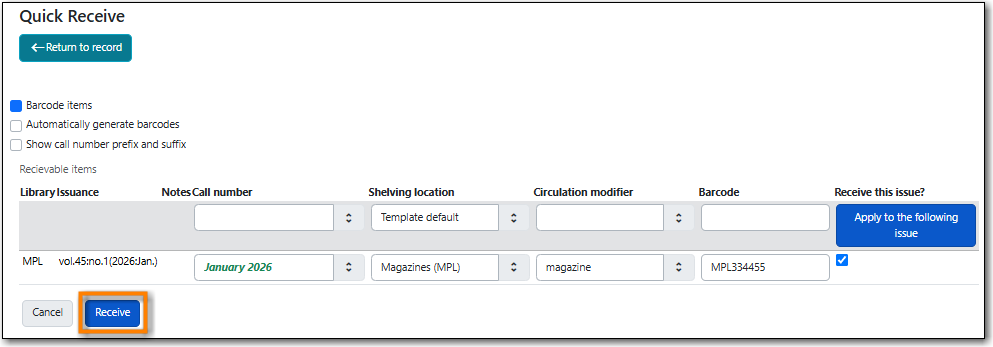
The Quick Receive - Receivable Items interface will display. There are a number of options which determine how this interface displays to you.
- Barcode items check box - determines whether or not a barcode field displays. If this box is unchecked items will be received without being barcoded.
- Automatically generate barcodes check box - determines whether or not barcodes are automatically generated by the system.
- Show call number prefix and suffix check box - determines whether or not fields for prefix and suffix displat
- If a serials template has been applied to the subscription the Shelving location and Circulation modifier fields will be pre-populated with the values specified in the template.
- If routing has been set up for the subscription a Print routing list for this issue column will appear on the right and the Receive and print routing list button will be visible.
- Update fields in the table as desired.
Click Receive or Receive and print routing list.
The item will display on the Item Table tab.
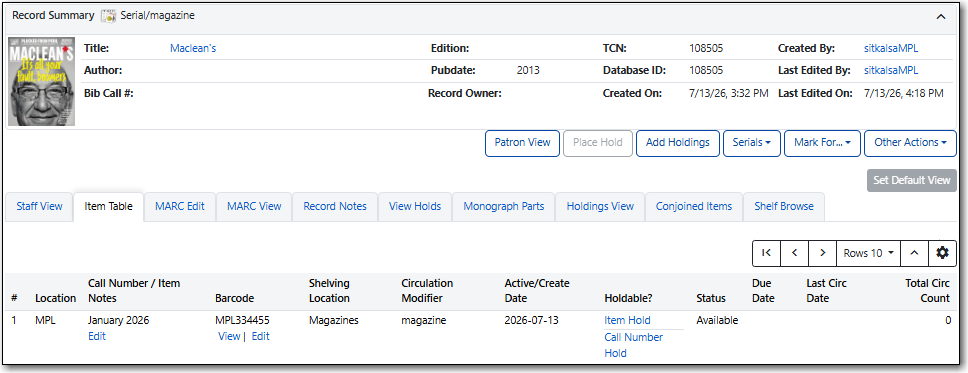
The grid on the Manage Issues tab will update to reflect the changes to the issue.

Note
The Quick Receive - Receivable Items interface will look different depending on the options you pick. For example, it looks quite different when you are not barcoding the items.