The Manage Issues tab can be used to receive the next expected issue and to receive multiple expected issues.
- Retrieve the serial record
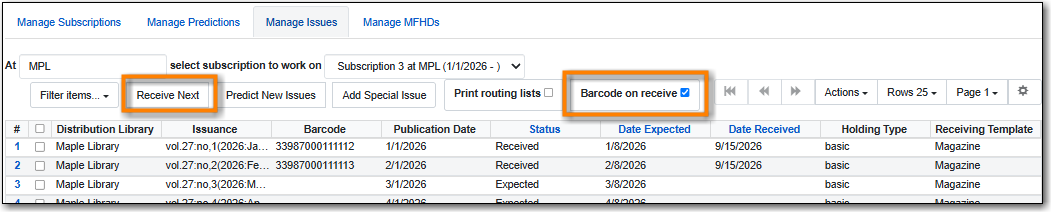
- Go to Serials → Manage Subscriptions → Manage Issues tab.
- Within the Manage Issues tab, select a subscription from the drop down menu. The list of predicted issues for the subscription will appear.
- Check the box adjacent to Barcode on receive.
Click Receive Next.
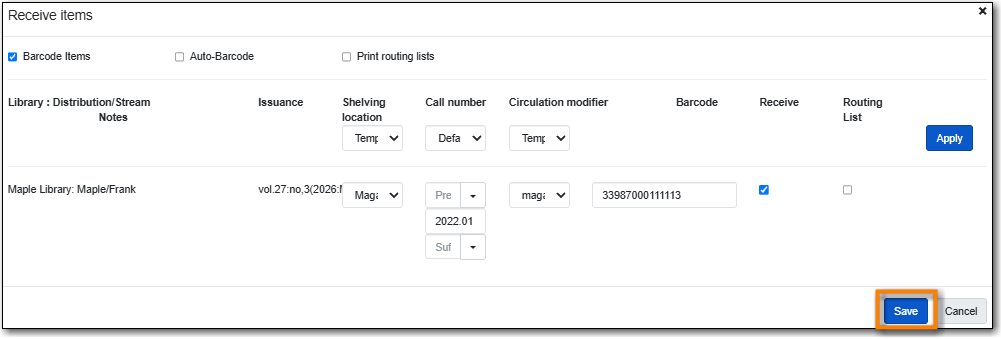
A Receive items dialog box will appear with the next expected issue and item(s).
- The Shelving Location and Circulation Modifier will be pre-populated from the Receive Template associated with the Distribution. Changes can be made to the pre-populated information.
- Call Number: Enter a call number. Any item with a barcode must also have a call number.
- Barcode: Scan in the barcode that will be affixed to the item(s).
- The box to Receive the item(s) will be checked by default.
- Check the box adjacent to Routing List to print an existing routing list.
Click Save to receive the item(s).
- The status of the issue will update to Received and a date received will be recorded.
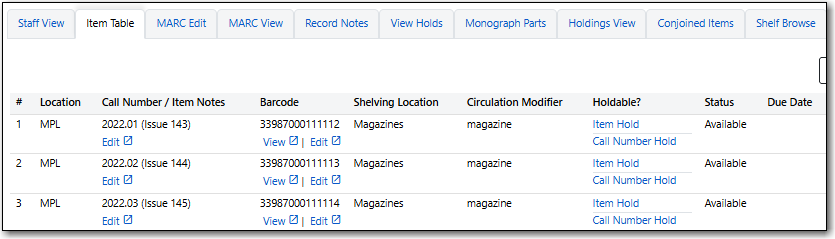
The barcoded item(s) will now appear on the Item Table tab.
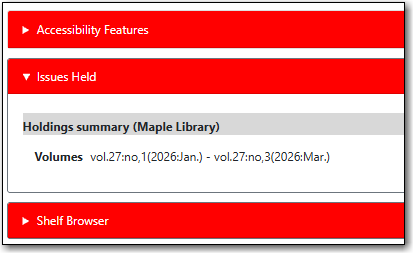
The Holdings Summary in the Issues Held tab in the public catalogue will reflect the newly received issue.
In the Manage Issues tab, make sure the box adjacent to Barcode on receive is unchecked and click Receive Next.

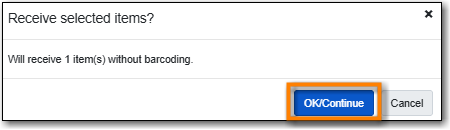
- A Receive items dialog box will appear with the message "Will receive # item(s) without barcoding."
Click OK/Continue to receive the issue.
The status of the issue will update to Received and a date received will be recorded.


