Found under Shared Folders → Templates → Sitka_templates → Patrons → Newly Registered/Opted-in Patrons.
Recommended Recurrence Interval: Monthly
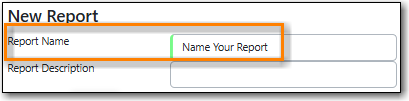
Enter a name that doesn’t include a specific date as this report will run every month. For example, "Monthly Count of Patron Registrations", not "January Patron Registrations".
On the Filters tab, enter values for the filters.
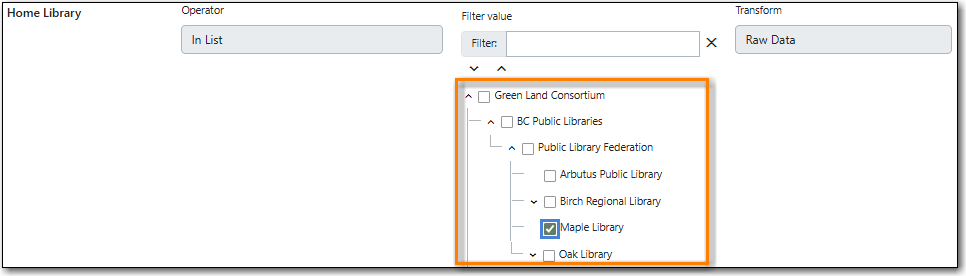
Home Library = select your library.
Record Creation Date/Time = check the box for Relative time value and enter 1 Month(s) ago.

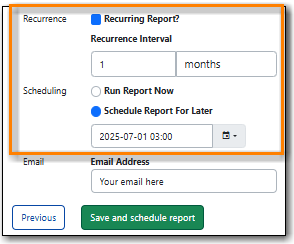
Check the box for Recurring Report.
- Set the Recurrence Interval to 1 Month(s).
Check the radio button for Schedule Report For Later.
Set the date to the first of the next month and the time to between 1:00am PT and 4:00am PT.
Found under Shared Folders → Templates → Sitka_templates → Patrons → Patron Count.
Recommended Recurrence Interval: None, run as needed
Enter a name that includes a specific date as this report will show a snapshot of your patrons at the moment the report is run.
On the Filters tab, enter values for the filters.
Home Library = select your library.
Privilege Expiration Date = enter a date for patron expiration. To count all patrons enter 1900-01-01 as the date. To count only unexpired patrons enter today’s date.

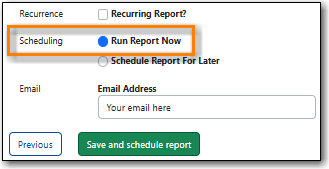
On the Layout and Scheduling tab, ensure the box is checked for Run Report Now.