Library staff with appropriate permissions can upload a cover image for a specific bibliographic record. This should only be used for adding images to non-bibliographic records, such as for Library of Things collections, or for adding images to records for highly specialized bibliographic items.
Note
Cover images for bibliographic items in Sitka’s Evergreen are supplied by Syndetics and depend on the records having the relevant ISBN (020 field), ISSN (022 field), or UPC (024 field).
Missing images for bibliographic records should be reported to Syndetics. If the relevant identifier tags (ISBN, ISSN, or UPC) are in the MARC record and the cover art is still not displaying you can email Syndetics. Contact Co-op Support for the address. Please include the ISBN, ISSN, UPC, or EAN and the title in your email to Syndetics.
Local system administrators can grant library staff permissions for the Cover Image Uploader. See the section called “Granting Additional Permissions to Library Staff Accounts”.
Acceptable file types are jpg, png, xpm, xbm, gif, and bmp. All uploaded images are converted to PNG at the time of upload and scaled to small, medium, and large for various uses within the public catalogue and staff client.
The scaling algorithm will size images to fit the dimension of each bounding box, while preserving aspect ratio. This means that the largest dimension of any image will be scaled to match the bounding box.
- Small = 55px wide x 91px high
- Medium = 120px wide x 200px high
- Large = 475px wide x 787px high
Images associated with a bib record will display in the following locations:
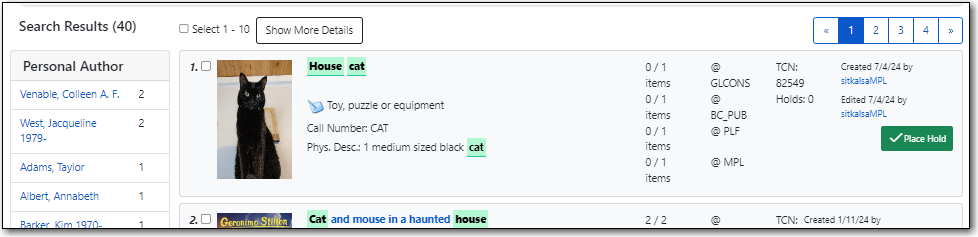
- In the staff catalogue search results list on the left side of the title
- In the staff catalogue bib record details page on the upper left side of the page
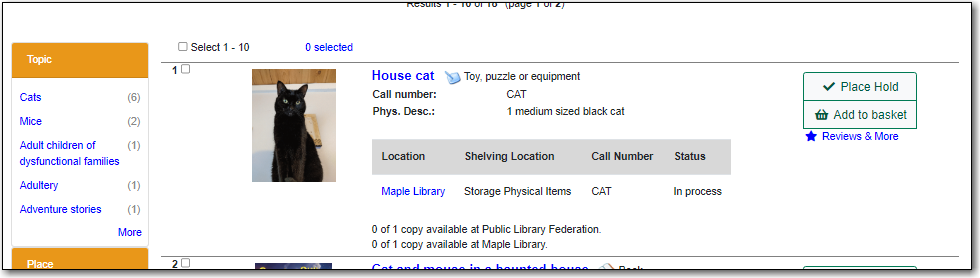
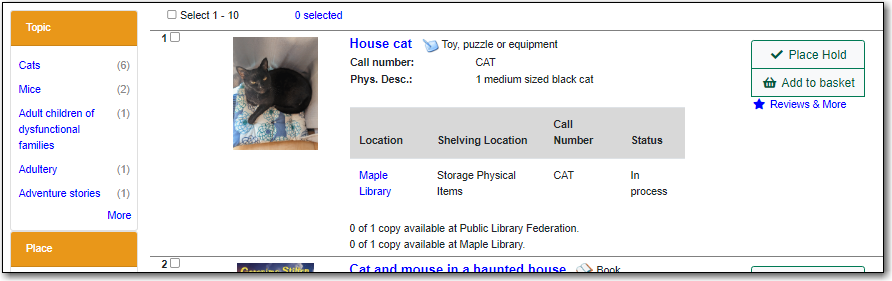
- In the public catalogue search results list on the left side of the title
- In the public catalogue record details search page to the left of the title.
- Create a new record OR search the staff catalogue for the existing record you would like to add an image to and click on the title link to open the record.
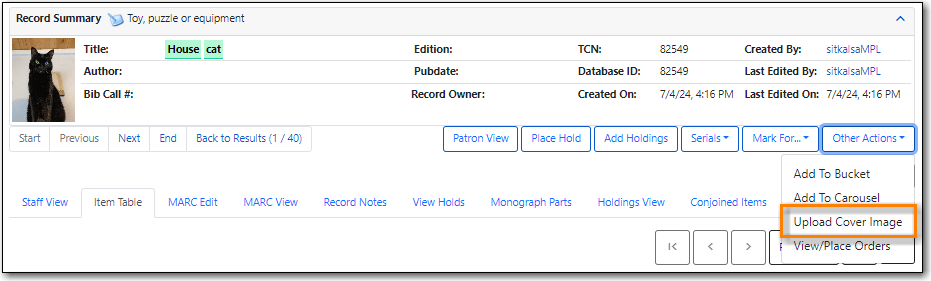
From the Other Actions menu select Upload Cover Image.
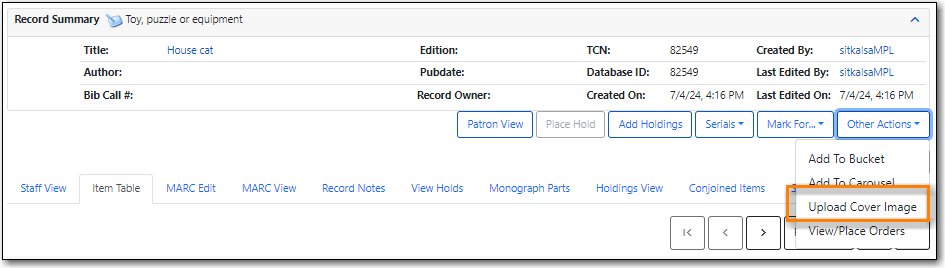
Click Choose File in the pop-up that appears.
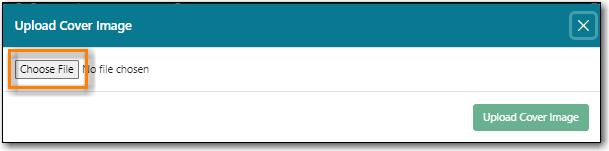
- Find the file on your computer or shared drive and select it.
Click Upload Cover Image.
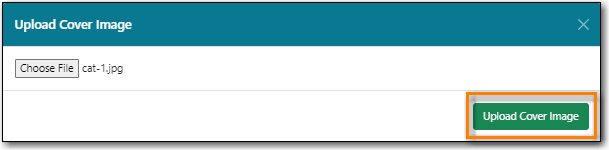
- The image is uploaded. The image doesn’t currently display immediately on the tab you have open. You will see it if you do a new search for the record in the staff catalogue or public catalogue.
Public Catalogue - Search Results
Staff Catalogue - Search Results
Libraries should ensure that they are only updating images on records unique to them.
- Search the staff catalogue for the existing record you would like to update the image on and click on the title link to open the record.
From the Other Actions menu select Upload Cover Image.
Click Choose File in the pop-up that appears.
- Find the file on your computer or shared drive and select it.
Click Upload Cover Image.
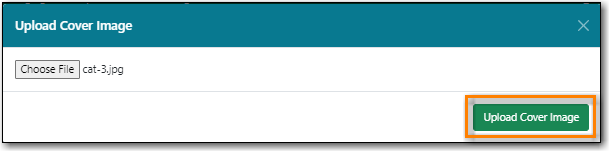
- The image is uploaded. The new image doesn’t currently display immediately on the tab you have open due to browser caching. To see the new image you can clear your cache or open the record in your public catalogue using a different browser.
Public Catalogue - Search Results
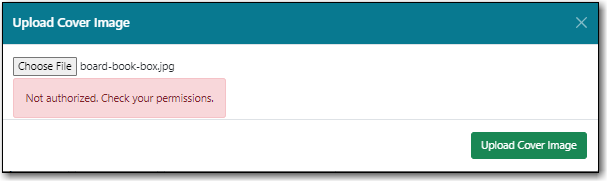
If there is an error uploading your file, you will be shown error text in the pop-up. Error messages include the following:
- Not authenticated. Expired login?
- Not authorized. Check your permissions.
- Not found. Bib record deleted?
- Invalid global compression value. Talk to your system administrator.
- Do not know where to upload files. Talk to your system administrator.
- Can not save uploaded file. Talk to your system administrator.
- File size larger than configured limit. Check your library setting or try a smaller file.
- Error parsing the image. Is it a common image filetype?
- Error uploading or processing file.